
🧭
How to Save the Unwind Wellness App
to Your Device?
Did you know you can save the Unwind Wellness website directly to your phone or desktop? By installing our Progressive Web App (PWA), you get quick access to the portal straight from your device's home screen. It offers a seamless, borderless navigation experience and supports push notifications, all without needing to download anything from a traditional app store.
STEP 1 - Determine your device & browser.
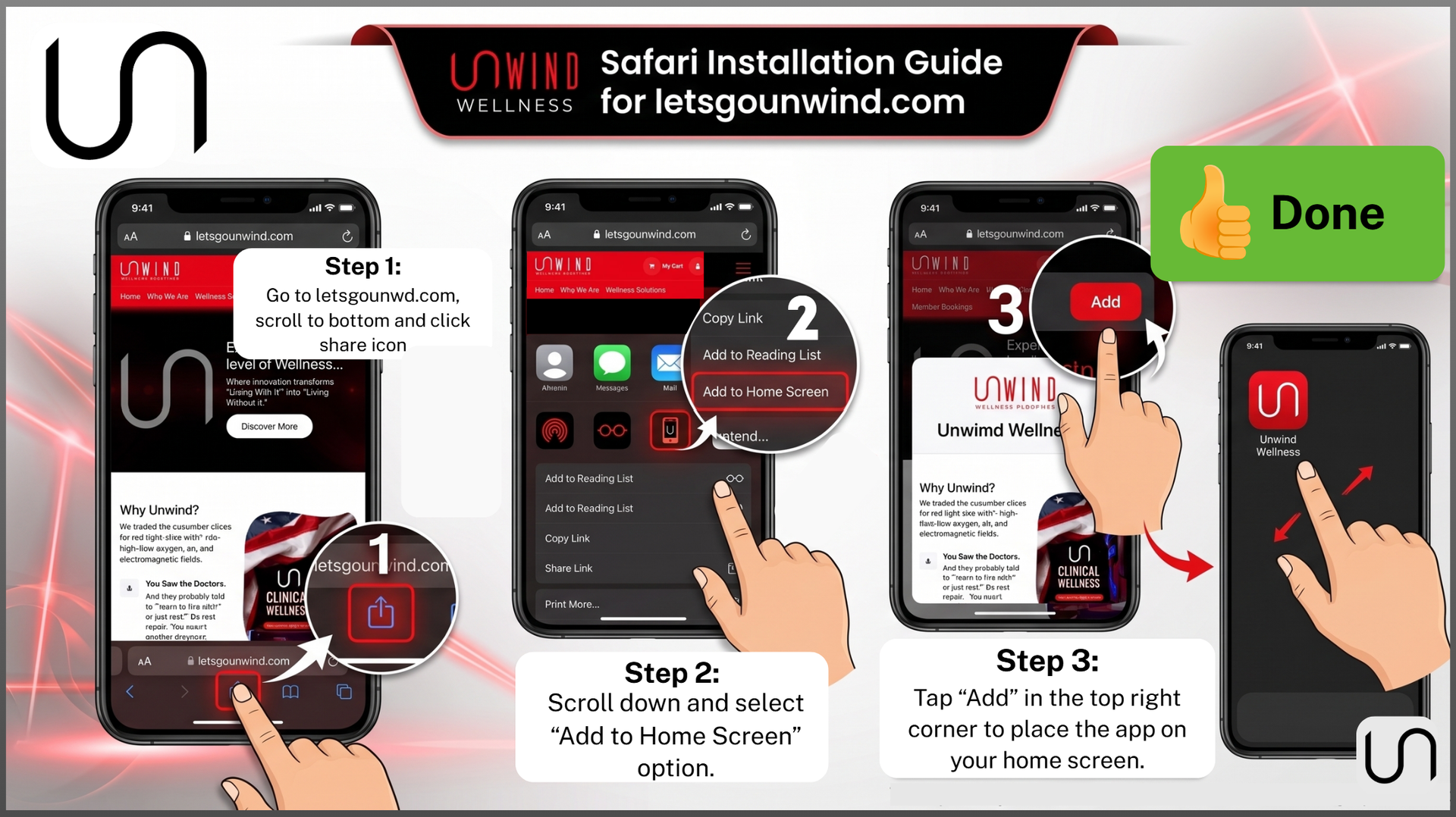
For iOS (Using Safari)
- Open the Safari menu by tapping the Share icon at the bottom of the screen.
- Scroll down and select Add to Home Screen.
- Tap Add in the top right corner to place the app on your home screen.
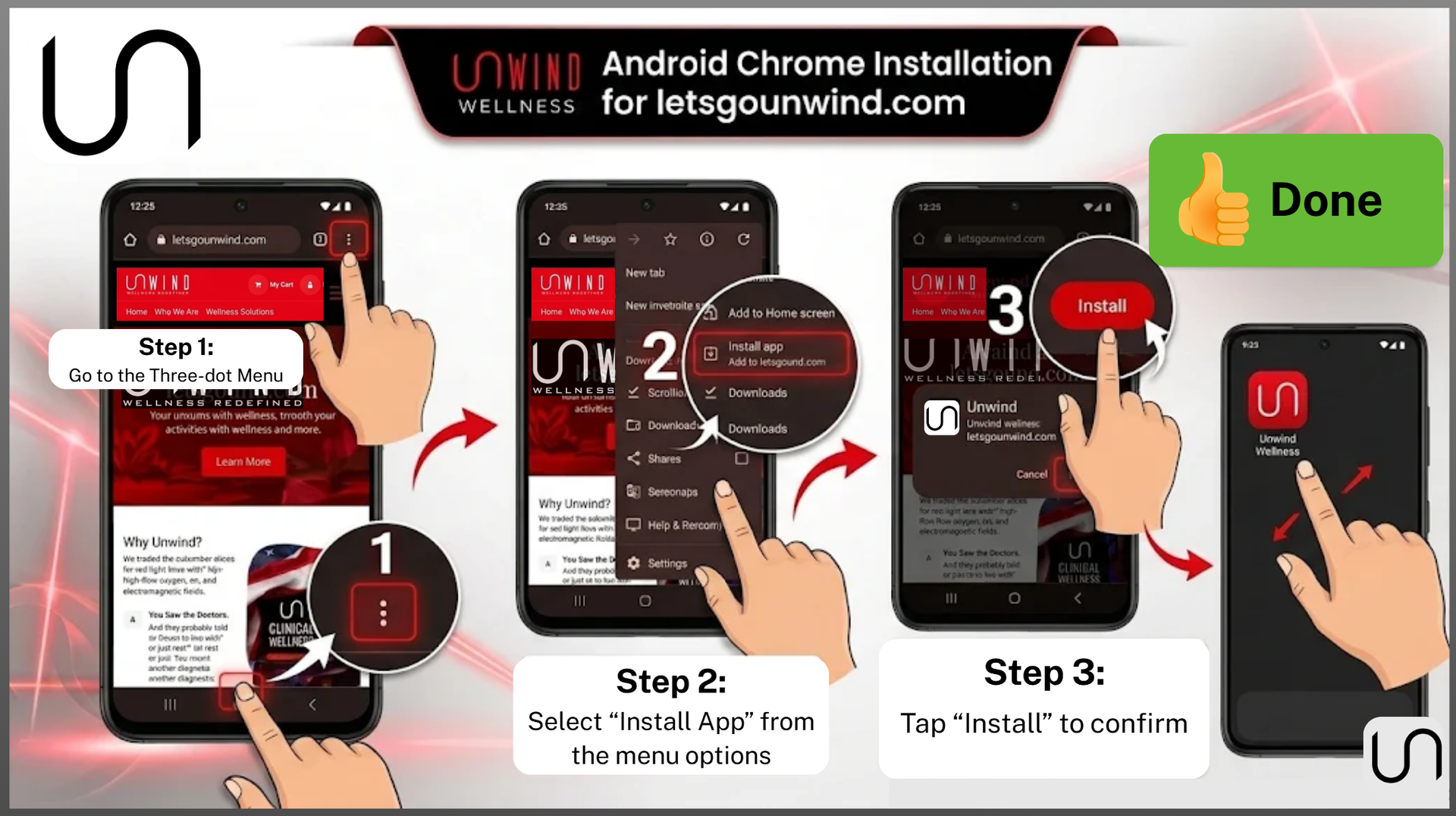
For Android (Using Google Chrome)
- Open the Chrome menu by tapping the three dots (⋮) in the corner of the browser
- Select Install app from the menu
- Tap Install to confirm
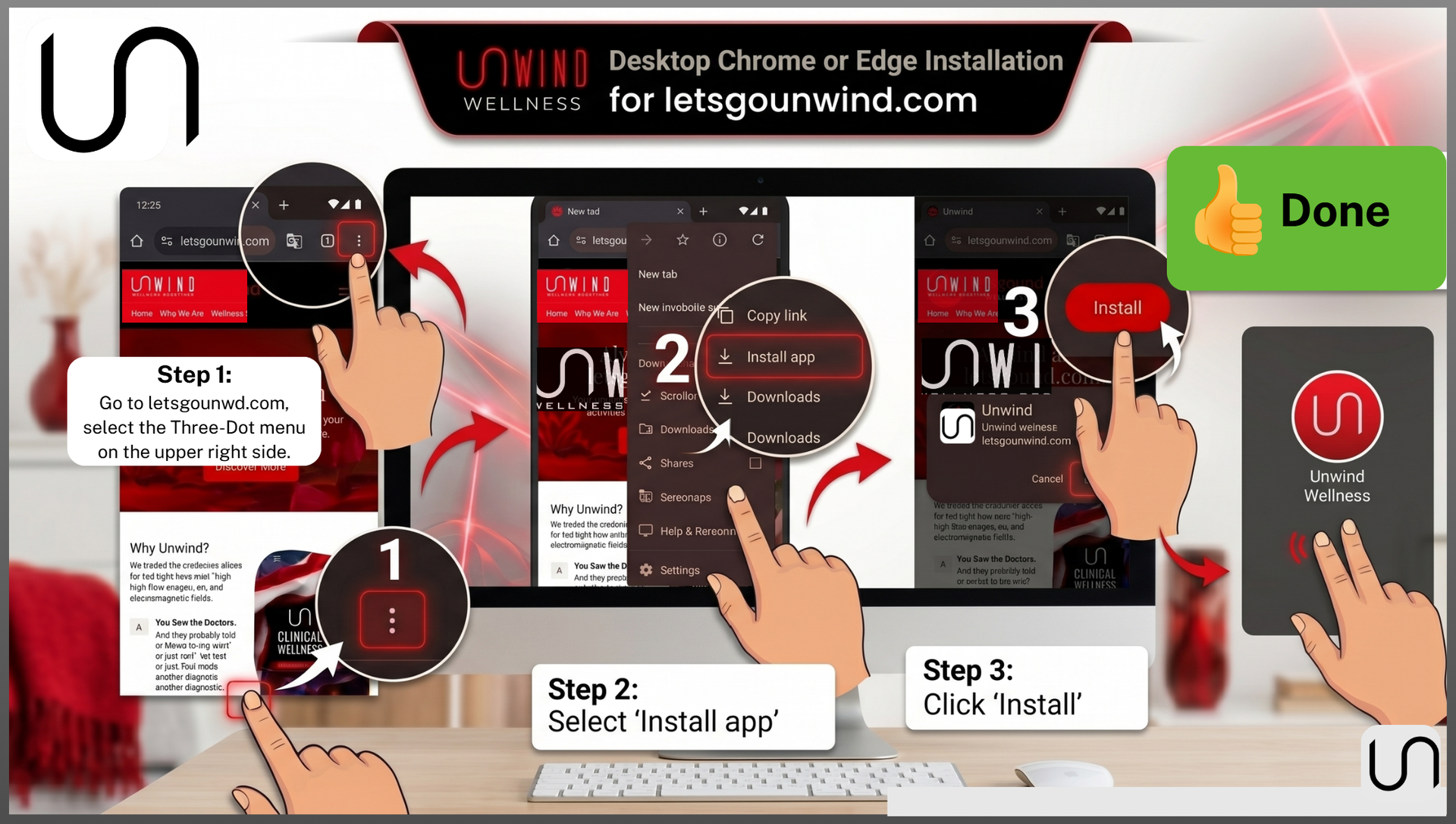
For Desktop (Using Google Chrome or Edge)
- Open the browser's menu by clicking the three dots (⋮) in the top right corner
- Select Install app
- Click Install
*** Additional Supported Browsers: You can also install the Unwind app using Samsung Internet, Microsoft Edge, Firefox and Opera.